I was ready to buy a new Blu-ray internal drive online but after seeing some PerfectMatch.com promotional codes through email, I remembered to look for NewEgg coupons so that I'll be able to save money. Well a quick Google search was able to save me a few bucks off a Lite-on Blu-ray/DVD burner. The original price was $199.99 but a coupon code Bluray10off, I was able to acquire it for $179.99 plus free shipping. Not bad.
I would have spent more if I haven't thought about scouring the net for coupon codes. Those shopping for gadgets or even clothes should be patient enough and be a smart shopper by searching for coupons on the Internet. It's not so hard and it won't take you more than 10 minutes to do so. Those 5 to 10 minutes of searching will yield you around $20 savings or if you're lucky, even half price off your chosen items.
If you don't have a specific item in mind but you just want to save, then start by visiting websites that offer online coupons such as savings.com. I'm sure with the hundreds of coupon codes they have, you'll eventually find a specific item that would suit your budget.
Monday, December 8, 2008
Don't Forget to Scour For Coupons for your Gadget Shopping


Friday, September 5, 2008
Port Numbers for Peer to Peer sharing
Now just because this post talks about peer to peer sharing doesn't mean that I encourage software piracy. A lot of people uses peer to peer network for different reasons. There are a lot of non-copyrighted files that are shared in peer to peer networks. Anyways, if you're using peer to peer a lot, you may notice that you're not getting the usual high speed that your ISP should be providing you. This is because some ISPs block the port numbers that are usually associated with peer to peer networks. If you're using Azureus or other bittorrent clients, it is best to use port numbers in the range of 49152 and 65535. This is because some port numbers are already registered and used by other applications.
If you head on over to PC Library, a website that has a huge database of port numbers and error codes, you can view which port number are already in use by some applications. If you've been using proxy sites or proxy software, you'll notice that most proxy address uses the port number 8080. This is because port 8080 is the most commonly used port number by proxy servers. Anyways, if you're curious about which application uses which port number, head on over to PC Library and research all you want.
Wednesday, August 27, 2008
Webmaster Tips
There are various forums and articles on the web that budding webmasters may use in order to help them in setting up their new web sites. A quick Google Search will almost always yield answers for them. Web sites such as web hosting review, which is not just another web hosting review website, is a great resource for budding webmasters.
Their article: Tips for Choosing A Domain Name, is a good start for a webmaster wanting to build a good website. Domain Names is the home of your website so choosing a good one would contribute to the success of your website.
There are other resources on the web. Like I said, webmaster forums is another good way to learn from other webmasters about the dos and don’t’s in building a website.
Monday, August 18, 2008
Opening .BUP files and other .UNKNOWN file extensions
I've been cleaning up some files on my hard drive as I'm getting ready to format it so I'm transferring some important files to my portable hard drive. I came upon the file extension bup. Now bup files are usually associated with DVD files. I may have ripped a DVD on my hard drive some time back, the proble was that some of the files were missing so I can't open it. Bup files usually comes with .ifo and .VOB files so you need to have a bunch of these files together in order to open it with a media player. Since the bup file was alone, I had to delete it since it was pretty much useless alone.
I also came upon some files when the file extension unknown message dialog box popped up. Now no file extension library nor any searches in Google came up with results on how to open that file and when I tried to open it with Notepad, gibberish was what appeared so I guess that means the files were useless.
Anyways, if you come upon any file extensions that you're not familiar with, it's always good to Google it first or visit a file extension library site since just deleting might cause a major problem with your PC.
Wednesday, July 16, 2008
Computer Repair Service
The only reason why some people hold out on buying their own customized PC is because they don't want the headache of having to fix their PCs themselves as compared with a branded PC which has a warranty and tech support. But I really think that people shouldn't hold out just because of this reason alone. The money they could save plus the specs they could get for a similarly priced custom built PC spells a huge difference. Besides, if worse comes to worse, there are a hundred of free online tech support as well as computer repair service on the internet.
It could be a learning experience for them. I for one don't know squat about motherboards, RAMS, etc, five years ago but because I kept my mind and options open, I can say that buying custom built PCs made me more tech savvy.
Thursday, July 10, 2008
Pay per click or Natural Search
Ever since I've moved to a new domain, I've been losing my search engine rankings. I usually get around 500-700 unique visits per day but for the past few weeks that has turned into 100-200 uniques. I know this was bound to happen since I've been doing my homework and one of the consequences of moving to a new domain is losing your search engine rankings.
There were some advertisers that have been emailing me to join their network and I was really tempted to do so in order to increase traffic but then, though pay per click (PPC) advertising is a good way to increase traffic, it's only recommended for sites that have something to sell. Honestly, THIS is a personal blog and I used to be not concerned with traffic but I don't think I can spend on traffic when all I do to earn income is Google Adsense and even that only nets me around $100 per month.
pay per click advertising is highly recommended for those who want to turn traffic into leads or sales. Pay per click advertising is very effective and will most of the time get you customers rather than from traffic from search engines. PPC is more targeted plus if you choose Google adwords as your PPC advertiser, you can get a LOT of traffic. Google is only like, THE most used search engine around and almost every site/blog has Google Adsense running on them.
But PPC combined with search engine optimization is the proven killer combo that can boost traffic to your site.
Friday, July 4, 2008
Host your Image or Not?
One dilemma I’ve been facing when putting images on my blog posts is whether to upload them directly to blogger or to link to them from other sites. Some of the traffic I’ve been getting is from Google Image Search so I want to optimize my images. Now the big question is whether hosting your own image or not would affect whether you show up on Google Image search.
Frankly, I thought the answer would naturally be the first. If you don’t host your image, Google will of course index the site that hosts the original image but from my observation, most of the image traffic I’ve been getting are from images which are not hosted on my blog. I guess the key is to put a descriptive word on the “alt” tags or at least a very descriptive image file name.
I’ve read somewhere that when you link to an image on another site, you will get indexed faster though I can’t really be that sure. Anyways, if you’re concerned about the bandwidth then it’s best just to link to the image on another site, otherwise, just host the images which you think are searched more.
And if you're thinking of upgrading to a hosting company that offers more bandwidth for less price, check out webhostinggeeks reviews of different hosting companies.
Tuesday, July 1, 2008
How to Save on Your Upgrades
Yep, technology is ever changing and if you're an upgrade addict like me, chances are, you probably have a lot of your old gadgets and PCs lying around. However, even though you're an upgrade addict, you don't necessarily have to spend most of your salary on upgrades. Selling your old stuff instead of letting it gather dust on the sidelines could chop off the amount of cash you need to let go of when buying a new gadget.
You might think that no one would want your old junk, well, think again. Not everyone is an upgrade hog like us. In fact, other people would scour eBay and other classified ads for used gadgets that upgrade hogs like us throw out. The key is to find a lot of computer classifieds and list your old PC or gadgets. The more classified ads you post, the better chances there is that someone would notice it.
Used Apple Computers sell more because most PC users who wants to try out Macs would opt for used products to get themselves familiar that way, if they don't like it they won't kick themselves in the a** for spending a lot of money on something they wouldn't be able to use.
So if you're thinking of upgrading soon, just polish up your old gadget, take out your digital camera and start listing.
Saturday, June 21, 2008
How to save on buying gadgets
So, as you may know, I'm a gadget addict. I just can't seem to get enough of the latest in innovation and being a gadget fanatic would take a toll on anyone's paycheck. So what's a girl like me to do? That's when my shopping instincts come in...I hunt for the best bargain and use all my resources to my advantage.
Most of my gadgets are not yet fully paid. I always make use of financing offered by retail stores. Now the following techniques I'm about to impart requires that you have two credit cards from different credit card providers and one should be be from balance transfer credit cards provider.
If for example, I have my eyes set on a Macbook Air which costs around $1,799 at the Apple Store. Now if you opt for Apple's financing scheme, they say you can pay as low as $43 per month but if you read the fine print and do your computation, the total price you have to say is more than $1,799. So what I do is scour the internet for a cheaper price. Now I happen to find Macbook Air that costs $1,629. Now if I charge it directly to one of my credit cards then balance transfer it to my credit card with low APR (0% if you happen to be a new customer), then you will be paying the same price but you spread it over a year. You can now make better use of the money you have and put to mortgage payments, house improvements, or just save it in the bank, then the money you would have spent on a one time purchase would now be earning interest.
See? Credit cards can't be that bad. You just have to know how to make use of their full potential. So tech addicts, let the shopping begin.
Sunday, June 8, 2008
Trace A Cell Phone Number
Cell Phone numbers are harder to trace than landline numbers. Those offering a free reverse cell phone number tracer are usually just sites that searches local listings and then refers you to a paid website, such as Reverse Phone Detective, that offers to trace the cell phone number for you.
Most of the time, the cell phone number may come up unlisted since there are a growing number of prepaid mobile numbers in the States and there's no way of tracing a prepaid card (those familiar with the show CSI would know that).
Those offering reverse cell phone numbers lookup usually gets their data from utility resources so different reverse cell phone number lookup companies may provide different information.
Tracing cell phone numbers is not as easy as landline numbers. Most people value their privacy and since a recent survey in the US found out that more people use their mobile phones rather than their landlines, more people would probably oppose any directory for cell phone numbers.
Monday, May 26, 2008
The Google PageRank Algorithm Explained--sort of
Unless you have a PH.d in Math be warned that the following link will just give you a headache. I've just stumbled upon this post over at DP linking to this Pagerank computation report by Northern Carolina State University students.
I tried reading it and I did manage to get past the third paragraph until my migraine suddenly attacked. Anyways, it looks like it has been up for a while and maybe it's the same simple pagerank computation that some sites already posted (which I still can't understand).
If anyone knows a mathematician of some sort who could translate it in plain English, leave a comment.
Tuesday, May 13, 2008
Web Hosting Reviews
If you’re a newbie webmaster or just someone who wants their own site/blog, the first thing that you will need is a web host. The web host will be the one who stores your files and allocate bandwidth to your visitors. Searching for a good host is a tough job. In most webmaster forums, the most common question asked is “which is the best web hosting company?”
Depending on which webmaster forum you’re on, you can get a reply or two and if you’re lucky maybe even up to five replies, however, those replies are usually not enough to make an informed decision. It’s because those who have replied have their own preferences and there would be seldom two users who will suggest the same web host.
Your next alternative is to search Google for web hosting reviews. Again, Google would churn up millions of results but the ones on the first pages may or may not help you. Sometimes, there are review sites that would end up on the first pages of a Google search result which is more or less an affiliate site so you won’t get a balanced review there, they’d only encourage you to sign up because they would get commissions.
You’d occasionally stumble upon some web hosting articles but they too are just articles that link to a web hosting review site filled with affiliate links. So how can you make an informed decision? Try to visit the sites that turn up on your Google search page until the second page. Find the web hosting review sites that have user reviews. The one without user reviews is most probably just an affiliate site.
Try to ignore any best choice, recommended choice, etc but focus on the user reviews. After visiting around five sites, you can find a common denominator or common choice amongst users. Narrow down your choice to the top five web hosting companies and do further research. Now that you have your top five web hosting companies, try to find reviews of these companies. I recommend searching forums as well for in depth reviews of the specific web host.
After that doing your homework, you can now make an informed decision regarding the best web host for you.
Tuesday, May 6, 2008
Google Adwords vs. Adsense
During my search for ways to optimize and monetize my blog I’ve come across Adsense and as you can see, I’m running it on my site. Then, during my frequent visits to webmaster forums, I’ve come across the term “adwords” and I thought this was another Adsense program but then it didn’t make sense as to why Google will come up with two same service. It turns out Adsense is the program wherein publishers such as bloggers and webmaster run in order to publish Google Ads. Adwords on the other hand is the program that advertisers use to buy ads from Google which Google displays on the Adsense program.
If you’re thinking of using Adwords to increase your site’s visibility on the Internet, then this blog post about Adwords optimization on StylishDesign might help you out.
Monday, April 14, 2008
Markup Languages and Web Designing
A markup language is a set of symbols or words for describing or identifying pieces of a document. XML and HTML are two kinds of markup language. XML stands for Extensible Markup Language and is used to transport and store data while HTML stands for HyperText Markup Language and was designed to display data.
Most people think that XML is a replacement for HTML but both actually complement each other and were designed for different goals. XML describes the data on the document while HTML can display what the data is all about.
A large number of software vendors have already adopted XML, even Microsoft Office Products. Understanding XML is important in order to build effective web pages. Actually, XML and HTML are just two of the markup languages that a web designer needs to have knowledge about.
XHTML or Extensible Hypertext Markup Language combines HTML and XML. When building XHTML documents, needs to be well-formed or all tags should have a matching end tag. If you’ve been using Blogger, and you’re still new with all these XHTML stuff, you’ll go crazy with warnings such as, “document is not well formed” and then trying to find what tag you forgot to close.
I’m still learning the beauty of XHTML and as always, the Internet with the help of Google has provided me with a lot of markup infos I need to go on my journey as a budding web designer.
Top 5 Ways to Get Indexed by Search Engines
One of the most important things that a blogger should do when starting a blog (and this also applies to other websites), is to get indexed by search engines. When you are not indexed by search engines, you will only get a few visitors and this is not a good thing specially if you want to your site to go mainstream. Here are just the top 5 ways to get indexed by Search Engines.
- Submit your site/blog. The most common way but has the longest waiting time is manually submit your site to Google or Yahoo. To submit to Google, go this page: http://www.google.com/addurl/ and to get indexed by yahoo, submit your site here: http://search.yahoo.com/info/submit.html
- Use trusted hosting companies or blog services. Googlebots regularly crawl a good hosts' index. In my experience, one of my blogs hosted in Wordpress.com was indexed in just 1 day.
- Submit your site/blog to free web directories. Look for free web directories with high PR and make sure that these directories doesn't use nofollow. Google regularly crawls sites with high PR and when they link to you, you can get indexed faster. Submitting to free web directories also increase your backlinks which can help you rank higher in search engine results.
- Pay for inclusion. Some directories like Yahoo's directory ask for a fee before you are included. While you have to be prepared to spend a LOT of dough on this, the advantage is that Yahoo's directory has a very high Pagerank and if you get listed, expect a moderate increase in your PR as well.
- Get backlinks. If you can't find high PR sites/directories to link to you, then be content with just having links from websites even without PR. This would increase your backlinks which would get you indexed faster as well.
Sunday, March 23, 2008
Windows cannot detect my Flash Drive / USB drive
Since floppy disks have become obsolete, most of us nowadays are using Flash Drives or USB drives to save files. Not only are they handy but are also capable of storing huge amount of files. However, there are times that when you plug in your Flash drive or USB drive, Windows cannot read or detect it. Here are just some troubleshooting suggestions.
- The first thing you need to do is go to control panel->system->Hardware->device manager tab. Scroll down to the Universal Serial Bus controllers and check if your flash disk is recognized. Your Flash disk is recognized if the USB Mass Storage Device or the brand name of your flash disk appears when you collapse the arrow beside Universal Serial Bus controllers.
- If there’s a Question mark beside the USB Mass storage device, this means that your flash disk needs a driver or you haven’t installed the USB drivers of your mother board. Google for the compatible drivers of your USB device and install.
- If an X appears beside the USB Mass Storage device / brand name, it means that your device is disabled. Right click the USB Mass Storage device / brand name and select properties. Click the drop down menu on Device usage and select enable or “use this device”.
- If there’s an exclamation beside the USB Mass Storage device, this means that Windows had trouble installing the flash disk because it is damaged. Right click on the properties and check the device status to check the problem. Alternatively, go to the details tab and check the device instance ID and hardware IDs. You will usually see a series of numbers and letters but if you just see all zero numbers, your flash disk is definitely defective and you should return it to the store you bought it from.
- If everything seems to be working but you just can’t see the drive path on My Computer, check and see if other drives are using the drive letter F, G, etc. If this is the case then go to Control panel->administrative tools->Computer management. Collapse “storage” and select “Disk Management”. On the right side of the screen, search for the removable disk. Right click on the removable disk button and select “change drive letter and paths”. Press the change button and assign a drive letter which is not in use. Again, check the My Computer for the drive letters which are in use by your PC. Press okay until you return to the computer management screen.
So that’s it. That’s just my basic troubleshooting tips when your flash disk drive / USB drive is not recognized by Windows. Hope this helps.
Friday, March 14, 2008
Free Online Games
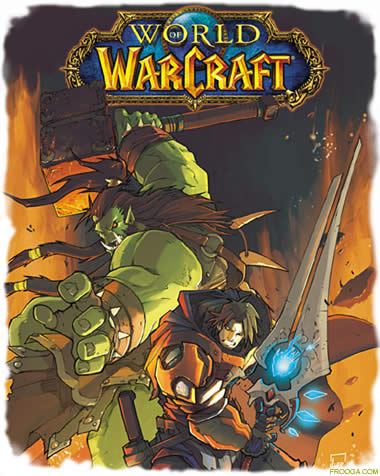
So how would you like to play World of Warcraft on your Asus EEE PC? Impossible? Not likely. I just came upon a site that offers Free Online Games and they have World of Warcraft as a flash based game. Graphics is what you can expect from a Flash game but the game basics are there. They also have other online games that would help you alleviate your boredom. Follow the link and have a look.
Tuesday, February 12, 2008
How to save on presents for Valentine’s Day
Valentine’s Day is just two days away, have you already shopped for your Valentine’s day present for your loved ones? I know that some of you may have thought about “skipping giving presents” for Valentine’s Day but here’s a tip for my guy readers: don’t fall for that “skip presents” line. Go out there or surf the web and find a present for your significant other RIGHT NOW! Most of the times—well, I’m only talking about my opinion here but a lot of my girlfriends also share the same thought: we just say “let’s skip giving presents” but deep inside, we’re hoping that you would surprise us with something special. Yes, it’s confusing but just call it a “girl thing” when we say something but mean the other.
So if you haven’t bough a present yet, surf the web now! And don’t forget to search for coupon codes to help you save on your online purchases. A few tips about presents: flowers never fail and are never out of style so look for 1800flowers.com coupons and of course, jewelry is a woman’s best friend. Target coupons offers free shipping for every $50 spent on jewelry. So as soon as you read this, open a new tab on your browser and start shopping like made because you only have two days till Valentine’s Day.
Thursday, January 31, 2008
How to Play Riviera the Promised Land
Like I've said in my review, Riviera The Promised Land offers a different game play than other RPG games and new users would probably get frustrated. Here's just something you can start with for you to enjoy the game.
First of all, don't expect that you can get to interact with people like in traditional RPG games (talk, buy and sell items, walk around and explore, etc) because it's like a movie, you just wait till the character finishes their dialogue and hope that you encounter monsters.
BATTLE
Like any RPG games, it's a turn based battle system, you get a shot at the enemy and then it's their turn. What's frustrating about this game is that your weapons are limited. You can only use your swords, arrows, etc for a limited number of time as seen on your screen (e.g. Sword x10). You can only select up to four items at a time and you can't use items that you have not selected.
During battle mode, you will get to choose which weapons or item you can use. The bottom right side of the screen states the name of the skill you can use with that particular weapon/item (eg. Divide, slash, throw). Attacks also vary per weapon and per character. One weapon may yield different attacks per item, for example, when Ledah uses Lorelei, there's the blue sword symbol and "attack" while if Ein uses Ledah, he can use Magic with Lorelei. The number beside "attack" or "magic" is the amount of damage you can deal using that weapon. The number of symbols beside "hits" is the number of times you can attack the enemy using that weapon, for example, when Ledah uses Lorelei, he can hit the enemy four times dealing around 64 damage per hit.
Every time you get hit or you attack, the overdrive meter at the top left part of the screen increases. Certain skills need a certain amount of level to be used and the more you hit the enemy, the higher increase in your overdrive meter. If there's an arrow beside the weapon, it means you can use the skill associated with it. Always take not of the need level of overdrive meter before you use that skill. Execution skills used by Ledah and Ein damages your overdrive meter which means if you use your execution skills too early on during battle, you can no longer use the skills of other members of your party. Execution skills need no specific amount of overdrive level but the amount of damage you can deal with your execution skills would depend on the overdrive level. Using your execution skills when your overdrive meter is below level one would only deal a little amount of damage while using your execution skill if your overdrive meter is level three is guaranteed to deal the maximum amount of damage on the enemy.
BATTLE SCORE
When you've won a battle, you will get scored or rated based on the amount of time it took you to finish off the enemy and what skill you used to finish off the enemy, if you use an execution skill, it the LV beside the finish would show EXL and if you use a Level 2 skill to finish the battle, it would show a LV. 2. Your Ranking in Battle would determine the amount of your TP points. TP points is what you need to explore areas, you need to earn lots of these in order to come upon hidden items and weapons during the game.
TIPS
So that's the basic battle game knowledge you need in order not to be put off by the game. And here are some tips you might like to know:
- Always view your enemy's status and look at their weaknesses (Fire, physical, holy, etc) then based on these weaknesses, determine the 4 weapons or items that you will need to bring.
- Choose party members that whose strengths are your enemies' weakness.
- Choose weapons that have different elemental properties. During the game you will come upon different weapons and chances are, your inventory would always be full and you need to discard items so if you already have two weapons that can both deal ice damage, discard the other one.
- Always finish the battle with execution or level 3 skills as this would yield higher rankings and more TP points for you.
RELATED POSTS:
How to Play the PSP Slim on Your TV
Domain Registration 101
Okay, so you’re bent on making your own website or if you already have a blog you want to host it on your own domain. There are many companies on the web that offers domain registration and their prices vary. If you’re thinking of buying your domain, here are few tips.
- Think about the theme of your website and make sure that your domain name is relevant to your theme.
- There are thousands of domain names available for registration, however, there are also millions of domain names already registered and chances are your desired domain name may already be in use. If your desired domain name is already in use, here are some things you might do.
- Try a variation of that name or put a hyphen in between words
- Try a different domain suffix (e.g., .info, .me, .tv, .us, .net, etc)
- Some companies offer a waitlist or backorder service wherein you pay a certain amount and when the domain expires or becomes available, the company will try to grab that domain name for you. The fee you pay may be applied to other domains you wish to register if you get tired of waiting.
- Choose your domain suffix wisely. A .com domain is more expensive but people usually associate websites with a .com but you can also choose other domain suffix. If you want to target a specific country, it’s also wise to use a domain suffix for that country, e.g., if you want to target
- Choose which company you would like to buy your domain from. You should look for value added services like free web hosting, free email, 24/7 customer support, URL forwarding, etc. If you’re ready to launch your website, look for a web host right away as they include the domain name registration for free, otherwise, use the companies that specializes in domain registration.


